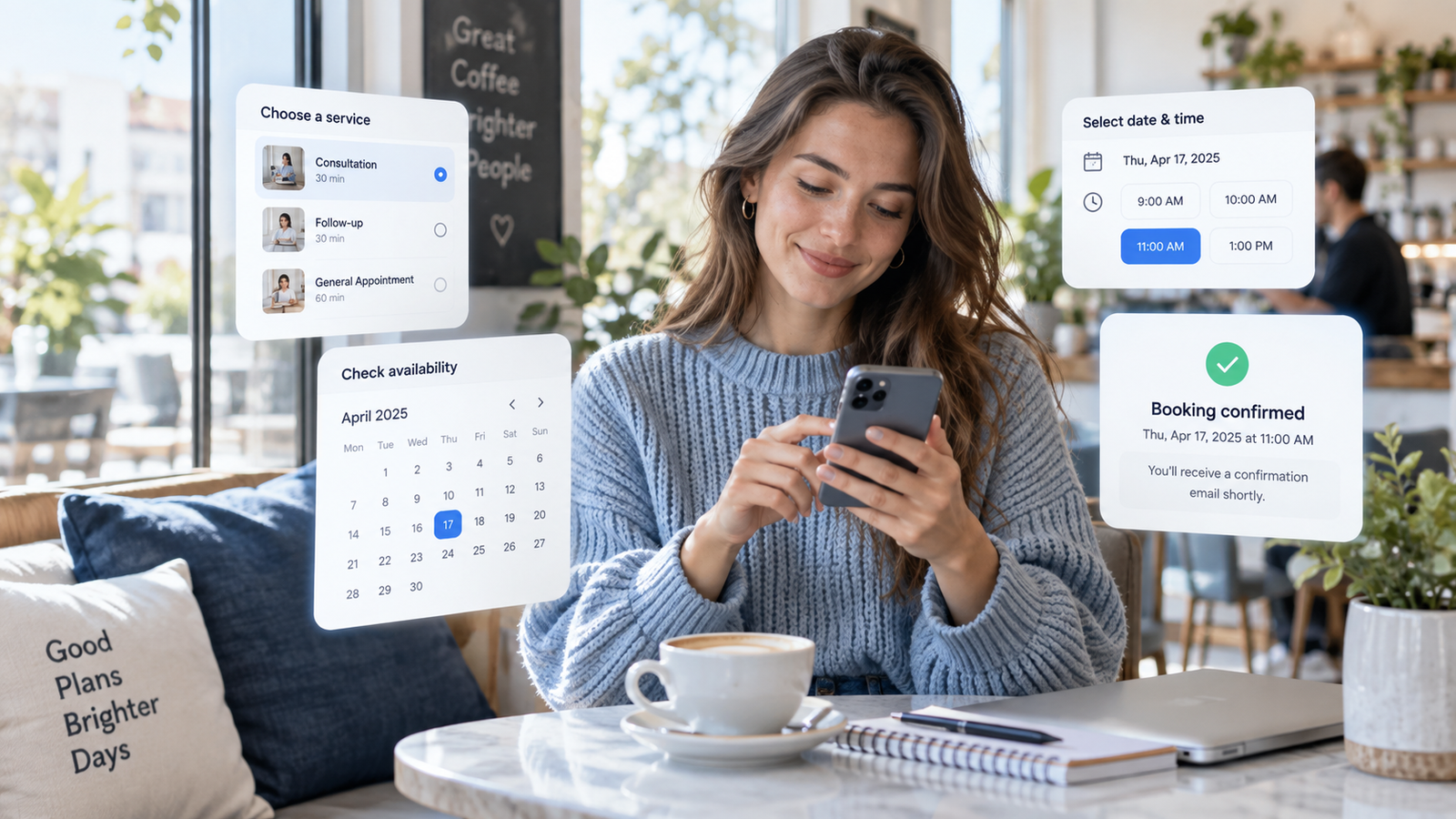
For businesses such as coworking spaces, resorts, studios, salons, and event venues, managing reservations manually can quickly become time-consuming. This is why many businesses are considering online booking systems—not only to streamline operations, but also to improve the customer experience by allowing customers to view real-time availability, choose a schedule, and confirm reservations more conveniently.
Yet for many small businesses, reservations are still handled through Messenger, phone calls, spreadsheets, notebooks, payment screenshots, and manually updated calendars.
That setup may work when booking volume is still low. As the business grows, however, the same process can lead to missed inquiries, double bookings, delayed confirmations, and additional administrative work.
So what are businesses actually looking for when they search for a booking or reservation system?
Based on recurring conversations among small business owners, the answer is surprisingly simple:
They do not necessarily want more software. They want a simpler way to manage reservations.
What Is an Online Booking System?
An online booking system is a digital tool that lets customers check availability, choose a service, select a date and time, and submit a reservation without needing to message or call the business. It also helps businesses manage schedules, customer details, confirmations, and other booking information in one place.
How Does an Online Booking System Work?
One of the biggest frustrations for both customers and businesses is the constant back-and-forth required just to make a reservation.
A simple booking turns into several messages just to confirm the date, time, number of guests, and availability.
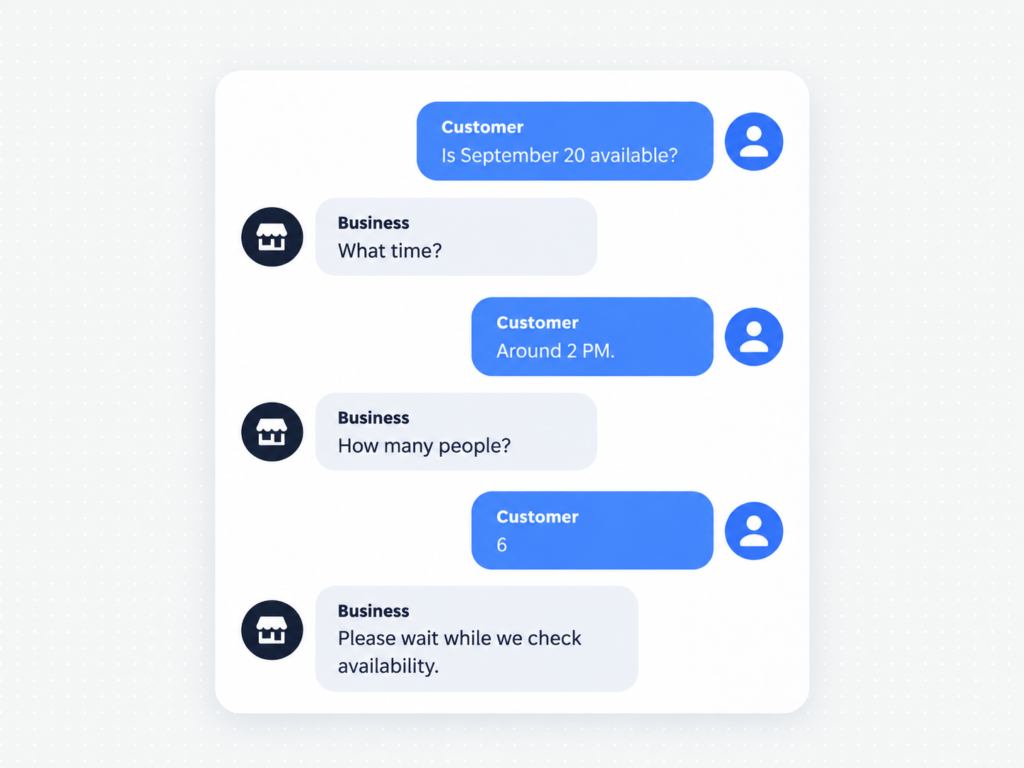
What should be a simple booking can quickly turn into several messages just to confirm the date, time, number of guests, and availability.
Multiply that process by dozens of inquiries every week, and booking administration quickly becomes time-consuming.
A better booking experience allows customers to choose a service, check available schedules, select a date and time, enter their details, and submit the reservation—all in one simple flow. Once completed, they receive an instant booking confirmation.
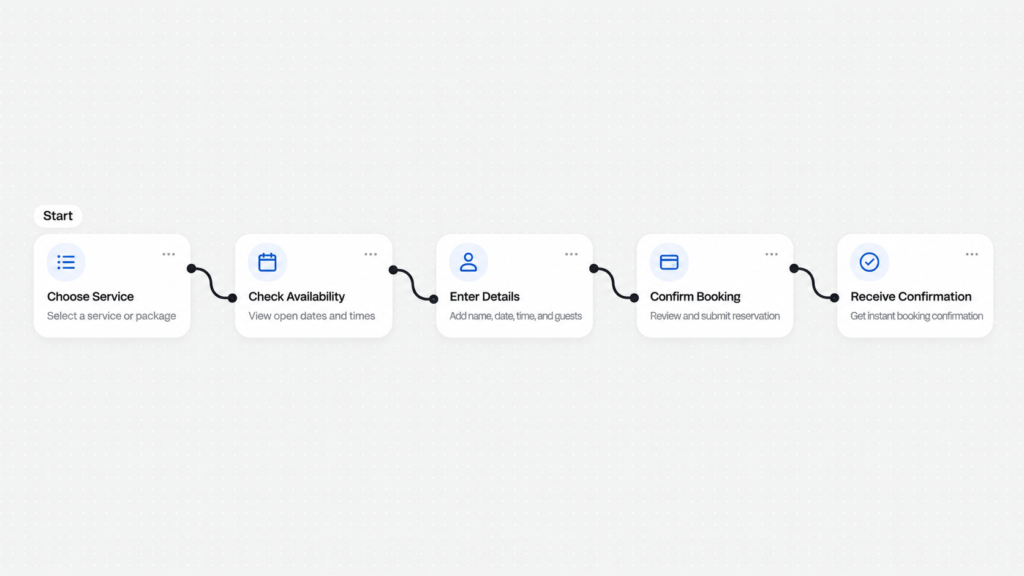
Instead of asking customers to “PM us to book,” businesses can simply provide a Book Now option.
Key Features for a Booking System
Real-Time Availability
Double booking is one of the most common problems businesses face when reservations are managed manually.
This happens especially when bookings come from multiple channels such as:
- Facebook Messenger
- Phone calls
- Walk-ins
- Website inquiries
- Google Calendar
- Staff messages
A booking system should provide a central calendar where availability updates automatically.
When a schedule, room, staff member, table, vehicle, or other resource has already been reserved, that slot should no longer appear as available.
This gives both the business and the customer a clearer picture of what can actually be booked.
Handling Deposits and Down Payments
Reservations do not always turn into actual customers.
No-shows and last-minute cancellations can be costly, particularly for businesses that reserve rooms, tables, equipment, staff time, or event spaces.
This is why many businesses look for booking systems that can require a deposit before confirming a reservation.
Depending on the business, this could include:
- Fixed reservation fees
- Percentage-based deposits
- Full payment
- Manual GCash or bank-transfer verification
- Online card or digital-wallet payments
A deposit gives customers more commitment to the reservation while helping businesses reduce uncertain bookings.
Automatic Confirmations and Reminders
Another common administrative task is repeatedly sending messages such as:
“Your reservation is confirmed.”
“Just reminding you about your appointment tomorrow.”
“Please send your payment screenshot.”
These tasks may look small individually, but they add up.
A good booking system should automatically send important updates such as:
- Booking confirmation
- Payment confirmation
- Upcoming reservation reminder
- Rescheduling confirmation
- Cancellation confirmation
Automation does not replace customer service.
Instead, it gives staff more time to focus on customers who actually need assistance.
Easy Rescheduling and Cancellation
Plans change?
Customers may need to move a booking, change the number of guests, or cancel entirely.
When every change requires several messages with the business, both sides lose time.
A booking system can provide a structured process for customers to manage their reservation while still following the business’s policies.
For example, the business can establish rules such as:
- Rescheduling allowed up to 24 hours before the booking
- Deposits are non-refundable
- Only one schedule change is allowed
- Late cancellations forfeit the reservation fee
The goal is not simply convenience.
It is also about making booking policies clearer and more consistent.
Keep Booking Simple for Your Customers
A good booking system should make the process easier for both the customer and the business.
Customers should be able to choose a service, check available schedules, select a date and time, enter their details, and submit a reservation in one simple flow. Once completed, they should receive a confirmation without waiting for a manual reply.
For the business, this means less time answering repetitive booking questions, checking schedules manually, and coordinating reservations across different channels.
The Right Booking System Should Fit Your Workflow
Not every business handles reservations the same way. A coworking space may need room and desk availability, while a resort may need guest details, deposits, and multiple booking packages.
The goal is not just to add a booking form. It is to create a system that matches how your business manages availability, customers, payments, confirmations, and schedule changes.
Thinking About Adding Online Booking?
If you currently manage reservations through Messenger, phone calls, spreadsheets, or manually updated calendars, there may be an opportunity to simplify the process.
At Elvio, we build booking and reservation systems around the actual workflow of the business—whether you operate a coworking space, resort, studio, salon, event venue, rental business, or other service-based operation..
Leave a Reply